AI carousel generator for Instagram: what to look for
· Aeyho Team · 7 min read
- Instagram carousels
- content planning
- small business marketing
- Instagram growth
On this page
A useful generator teaches one thing per slide, exports 1080×1350 files you can edit, and keeps the numbers you gave it. The feed shows the first photo. If that photo says what the swipe is for, people have a reason to move to slide 2.
What should you check before you pay?
Eight checks, on a file you downloaded and opened on your phone.
| Check | It passes when |
|---|---|
| Slide 1 makes a specific promise a stranger can understand | The first photo says what the swipe is for |
| A middle slide teaches one thing with a diagram, table or chart | Removing the slide would drop a fact |
| Every number matches a source, including numbers you typed in | A price, a time or a count is the one you gave, or the slide names where it came from |
| The body text is readable on a phone without pinching | A line is readable at arm's length |
| Every slide is the same size, and that size is 1080 by 1350 | The file is 1080 pixels wide and 1350 tall, on every slide |
| You can change the words, and the colors are the brand's | One headline can be edited, then exported again |
| The last slide is worth saving: a recap, a list or a next step | Someone who saves the post can use it later |
| Each slide has alt text that describes that slide | The description says what is on that image |
The size and the single orientation are Instagram's rules. It does not publish a layout for a teaching slide, so the other checks are what you are paying a generator to do.
What size should the slides be?
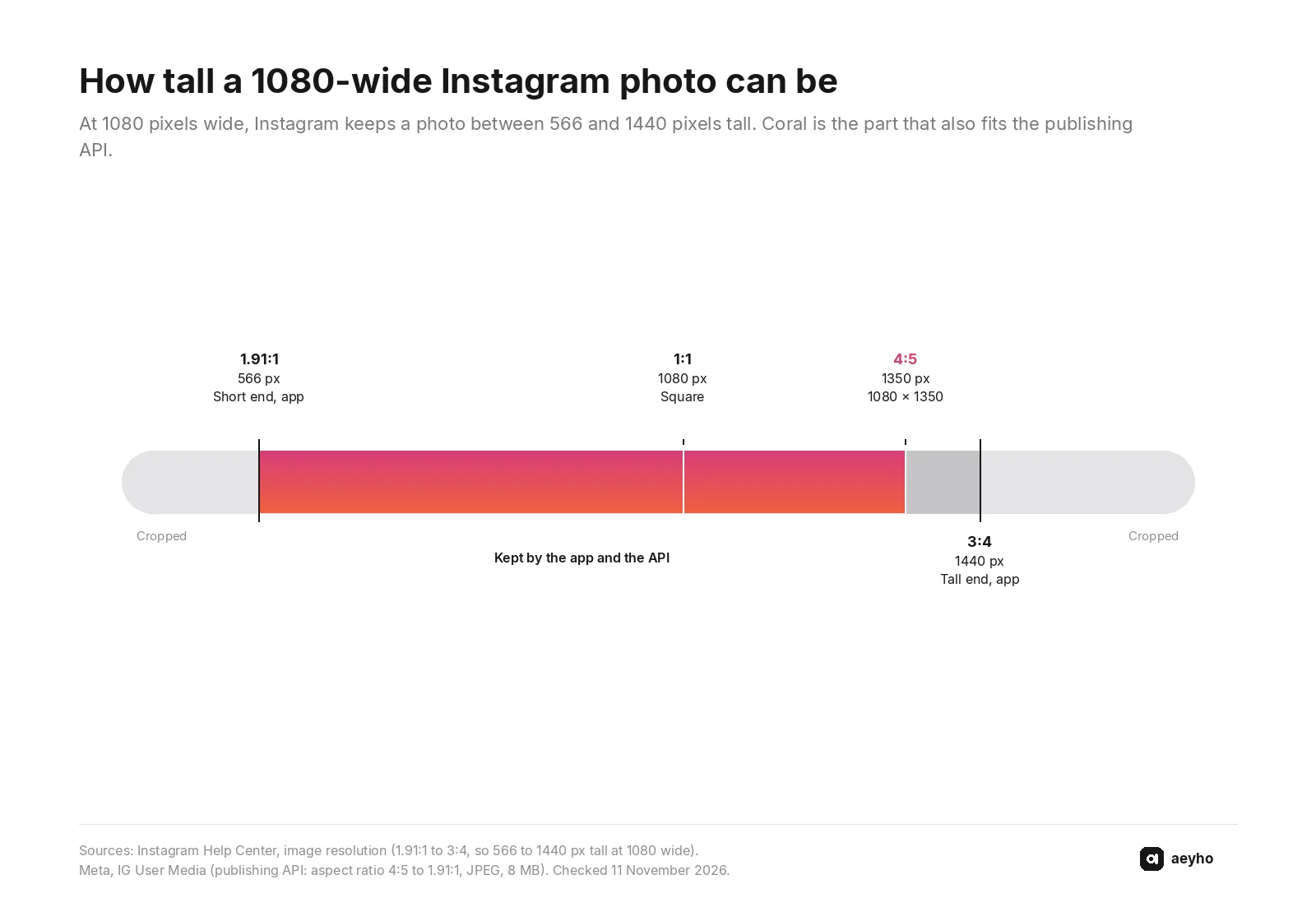
Instagram's Help Center says a photo is uploaded at up to 1080 pixels wide. When the width is between 320 and 1080 pixels, Instagram keeps the original resolution if the aspect ratio is between 1.91:1 and 3:4. At 1080 wide, that is a height from 566 to 1440 pixels. Outside that ratio, the photo is cropped to fit.
1080×1350 is 4:5. The height, 1350, sits inside the 566 to 1440 band, so the app keeps it.
The publishing reference is the path scheduling tools use, and its range is narrower. An image has to be a JPEG, 8 MB at most, in sRGB, between 320 and 1440 pixels wide, with an aspect ratio from 4:5 to 1.91:1. 1080×1350 is the tall end of that range, so the same file fits the app and a scheduler. A 1080×1440 file is 3:4, past the API's 4:5 limit.
How many slides can it be, and must they match?
They have to share one shape. The count depends on where you publish.
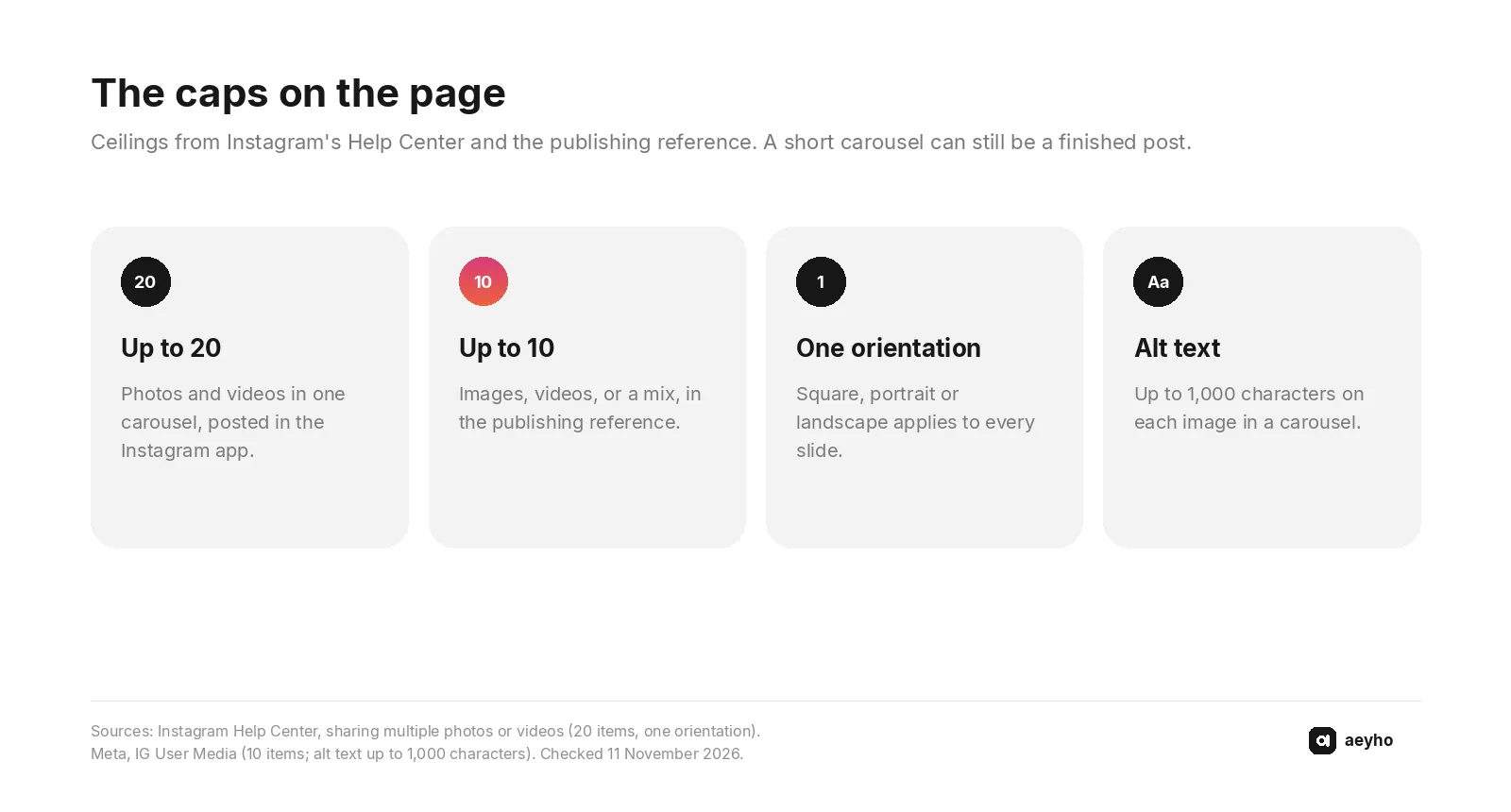
Instagram's carousel article says you can share up to 20 photos and videos as one post. The orientation you choose, square, portrait or landscape, affects every photo and video. You cannot pick a different orientation for each one. In the feed, people see the first photo, with a row of dots, and swipe for the rest. Likes and comments belong to the whole post.
The publishing reference caps that kind of post at 10 images, videos, or a mix. A set of 12 is inside the app's limit and over the limit that page documents. Ask which cap a generator is built for before you plan a 15-slide lesson.
Both numbers are ceilings. Stop when the lesson is finished. Six slides can be a complete post.
The creator FAQ says feed posts and carousels help you engage with your audience, which can boost the distribution of your content. The same page says reels are the best way to reach new audiences. Which job belongs on which format is in reels or carousels.
How do you test a generator before you pay?
To create an Instagram carousel post with any generator, use one brief you can grade.
- Give it one fact you can check. A real price, a lead time, or a count from your counter, in the exact words.
- Ask for a lesson at 1080×1350. A comparison, a sequence, or a chart, in your colors.
- Download the images. You need files you can publish from your phone.
- Read the pixel size of every file. 1080 wide and 1350 tall, on each slide. Measure the file.
- Check the fact, then the first photo. The number should be the one you typed. The first photo should say what the swipe contains.
- Change one headline and export again.
- Open it on your phone. If you have to pinch to read the body, the type is too small.
- Read the last slide on its own. A recap, a list, or a next step is a reason to save it.
Run the brief again, on a different fact. One clean sample is a weak reason to pay for a month.
Score the sample you downloaded
The eight checks from the table. Yes means it held on the files, opened on your phone.
0 of 8 yes · 8 not marked
Mark the sample in front of you. Yes means that check held on the files you downloaded.
Runs in your browser. Nothing you tap is stored or sent.
What should make you walk away?
Treat the file as failed when you see any of these. Brief it again, or leave it.
- A number you did not give, and no source on the slide. A straight table can still hold a wrong number.
- Slides of different shapes. One orientation covers the whole post, so the odd slide is cropped on upload.
- Type you can read only by pinching. The post is read on a phone.
- A watermark from the generator. Cropping it off cuts the slide.
- No files to download, or files you cannot edit.
- Alt text that says "slide", or none. Instagram lets you replace the automatic description, and a screen reader is what reads it. The publishing reference allows up to 1,000 characters on each carousel image. The line should say what that slide shows.
- An invented photo of a person, a product or a place. If it did not happen in the business, leave it out.
What does one of these look like for a shop?
An illustration written for this post. Not a real shop, and not a plan anyone ran.
Example: a neighborhood bike shop
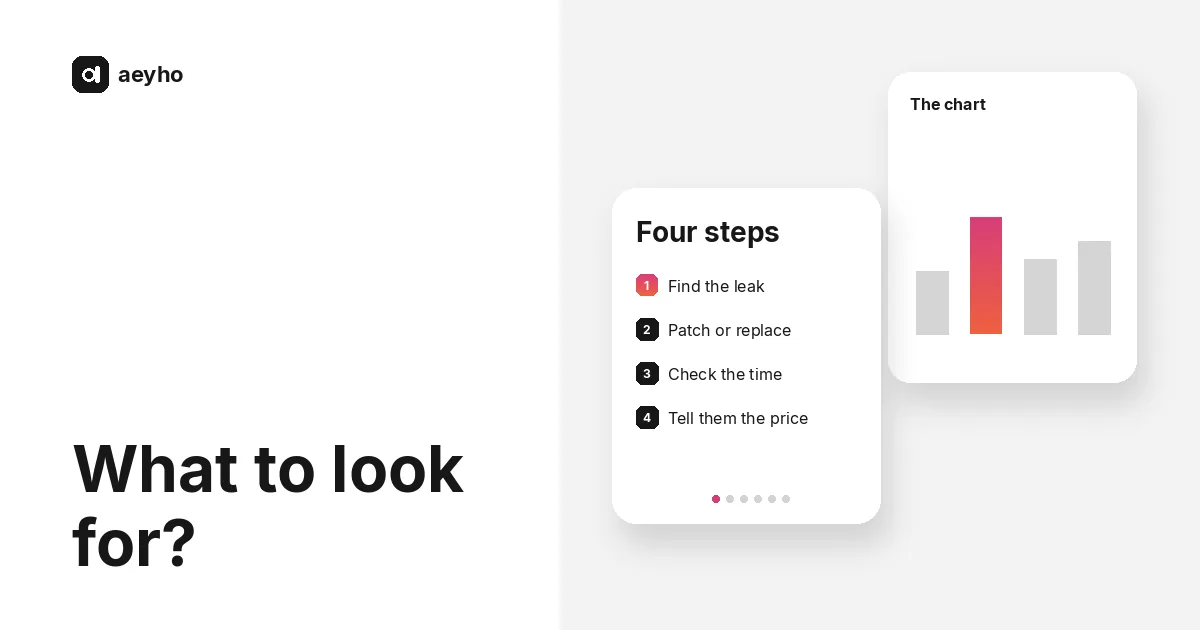
Same-day puncture repairs. The prices and the time sit on a card by the till. Six slides, each 1080×1350.
| Slide | What a stranger gets |
|---|---|
| 1 | A flat tire, fixed in four steps, with the shop's own time in the corner |
| 2 | The four steps, one line each |
| 3 | Where the leak usually is, as a simple diagram of the tube |
| 4 | Patch or a new tube, two columns, using the prices from the card |
| 5 | What to bring, and the cut-off for same-day |
| 6 | The four steps again, small enough to save, and how to message the shop |
Slide 4 works because the prices are the shop's. A number the generator invented fails that slide.
Use the carousel for what people save, and reels for the work on the stand. That split is the same starting pace as how many reels a week.
You can see how Aeyho plans a month, with the format chosen per idea, and carousels it has made.
FAQ
What should I look for in an AI carousel generator for Instagram?
Teaching slides, with a diagram, table or chart, at 1080×1350, in your colors, and numbers you can check. You should be able to edit the words and download the images. The first photo is the one the feed shows.
What size should an Instagram carousel be?
1080×1350 for a portrait post you might publish in the app or through a scheduler. Instagram keeps a 1080-wide photo when it is between 566 and 1440 pixels tall. The publishing reference stops at 4:5, which is 1350 tall at that width. Use one size for every slide.
How many photos can an Instagram carousel have?
Up to 20 photos and videos in the Instagram app. The publishing reference documents up to 10. A lesson that is finished earlier does not need to hit either cap.
Do carousel slides have to be the same size?
Yes. The orientation you choose, square, portrait or landscape, affects every photo and video in the post. You cannot pick a different one for each slide.
Should each carousel slide have alt text?
Yes. Instagram writes an automatic description and lets you replace it. A screen reader is what reads it. The publishing reference allows up to 1,000 characters on each image in a carousel, and the line should say what that slide shows.
How do I test an AI carousel generator before I pay?
Give it one real price, time or count. Ask for 1080×1350 slides with a chart, a table or a diagram. Download the files, check the number, change a headline, and read it on your phone. Then run a second brief on a different fact.
If you want the month made this way, Aeyho plans a month of reels and carousels, writes the slides and makes them: up to 10 slides at 1080×1350, each one a diagram, table or chart in your colors, light or dark. You can change the words before you download the images or a PDF, for a flat $29 a month on Starter or $59 on Pro. Taxes may apply at checkout depending on your country. You post them yourself.
Last checked: 11 November 2026.
Sources
- Instagram Help Center, "Image resolution of photos you share on Instagram" (checked 11 November 2026): https://help.instagram.com/1631821640426723
- Instagram Help Center, "Share a post with multiple photos or videos on Instagram" (checked 11 November 2026): https://help.instagram.com/269314186824048
- Instagram Help Center, "Edit the alternative text for a post on Instagram" (checked 11 November 2026): https://help.instagram.com/503708446705527
- Instagram for Creators, Frequently asked questions (checked 11 November 2026): https://creators.instagram.com/faq
- Meta for Developers, IG User Media (checked 11 November 2026): https://developers.facebook.com/documentation/instagram-platform/instagram-graph-api/reference/ig-user/media